Add annotations
Zoodle can point Zookeeper at geometry that needs model-based definition annotations. Mark the face, edge, datum, or feature, then describe the GD&T annotation or tolerance you want.
Use this workflow when the annotation target is clearer visually than in text, especially on parts with repeated holes, similar faces, or several candidate edges.
1. Mark the annotation target
Open Zoodle while the relevant face or feature is visible. Draw the callout, leader, or box close to the target geometry so Zookeeper can tell what the annotation belongs to.
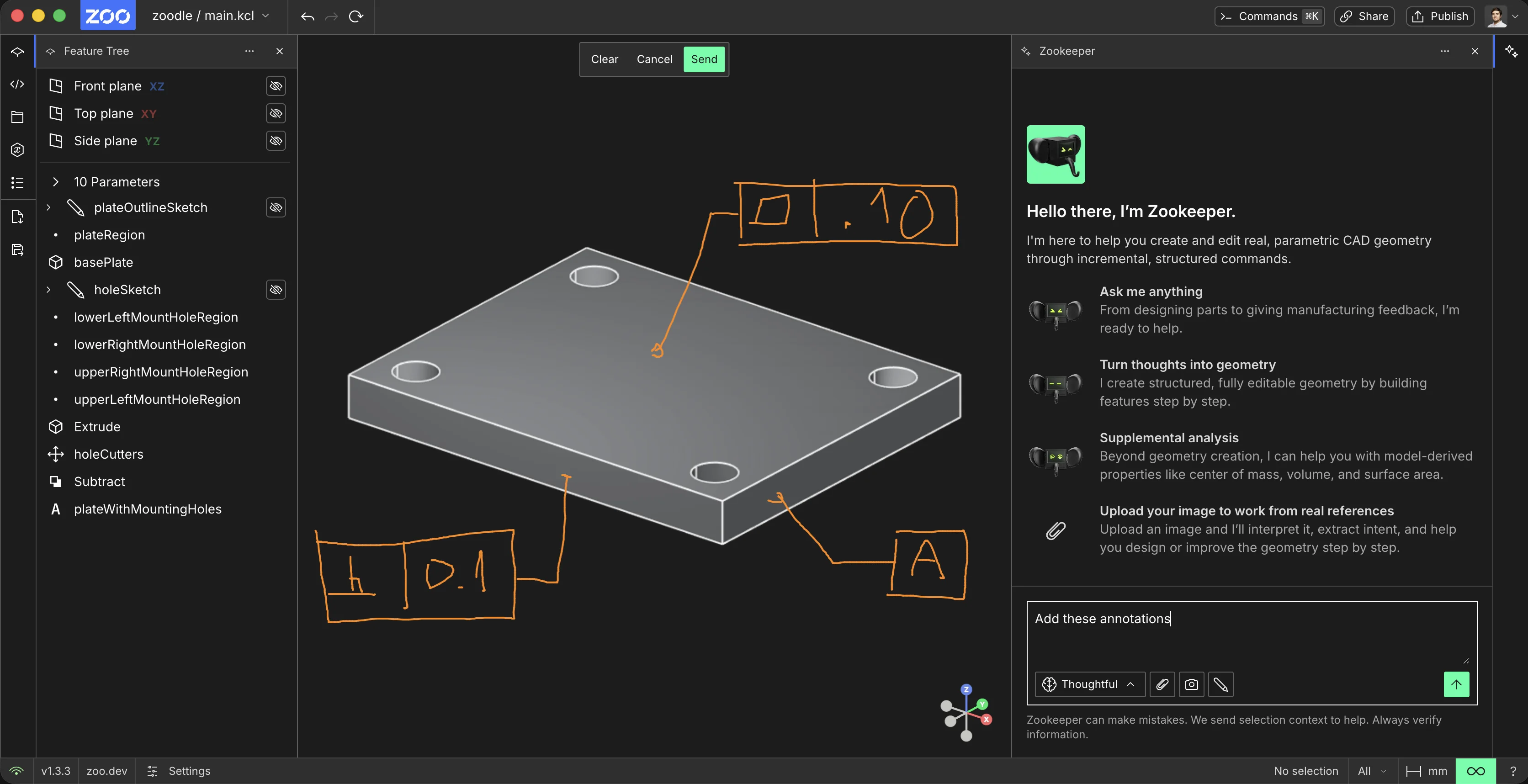
2. Describe the annotation
Send the marked image with a prompt that names the annotations and any tolerance values. For example, you can ask Zookeeper to add a datum, flatness tolerance, perpendicularity tolerance, or other supported MBD annotations to the marked features.
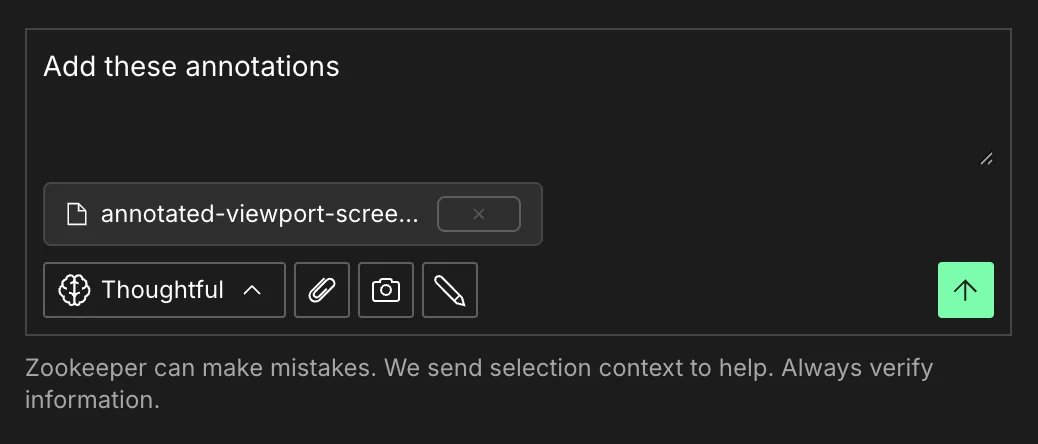
If Zookeeper asks which GD&T standard to use, choose the standard for your drawing set, such as ASME Y14.5 or ISO 1101.
If the target is ambiguous, rotate the model and capture another Zoodle markup from a clearer angle.
3. Review the model
After Zookeeper responds, inspect the annotation placement and the updated model context. Verify each target feature, callout value, datum reference, and tolerance before continuing.
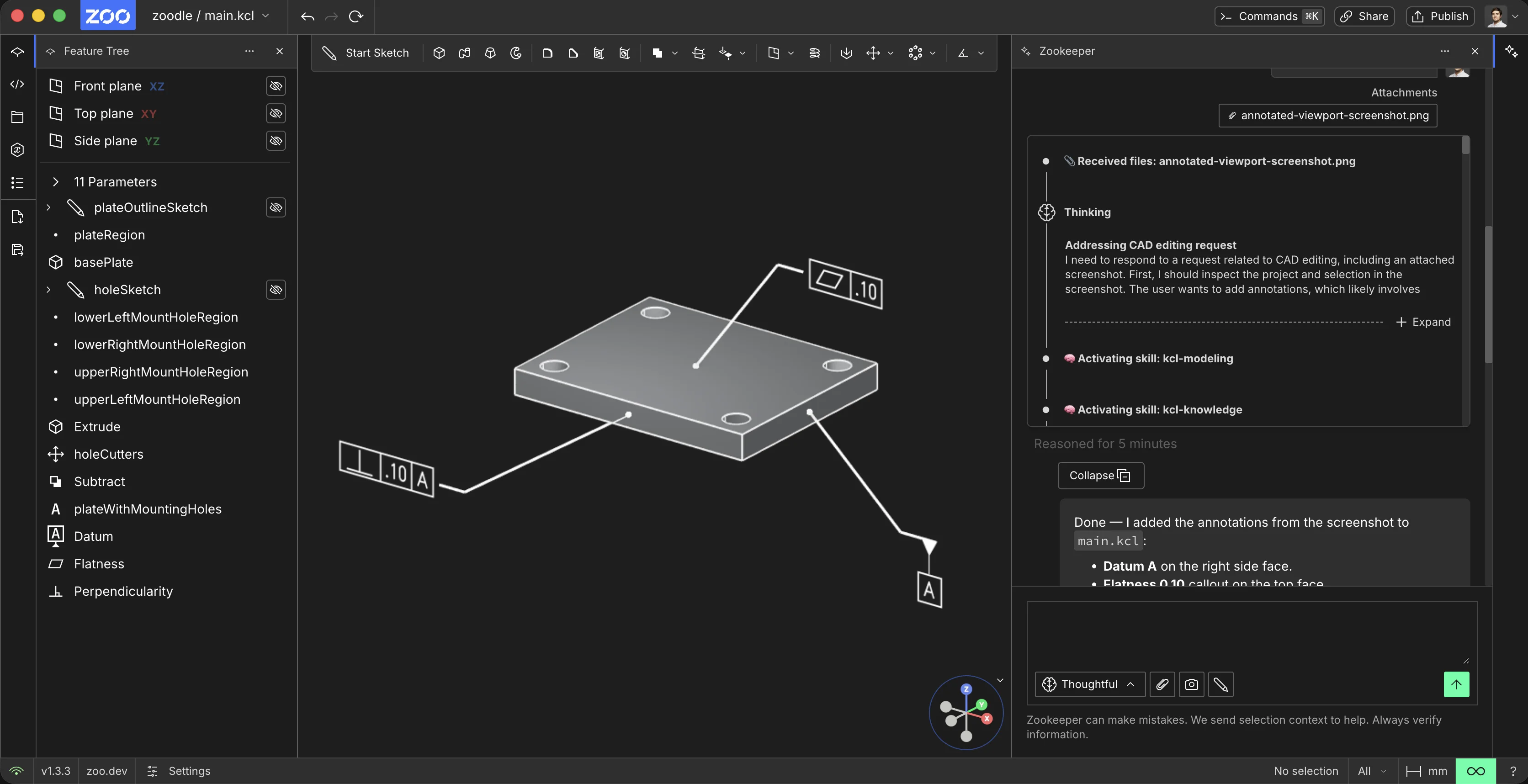
For supported annotation workflows and examples, see GD&T Annotations (MBD).